The constraint
Publishing still depends on someone remembering every detail.
Even with a content calendar, teams still copy captions, download files, resize assets, tag campaigns, and update status by hand.
Publishing workflow / 03
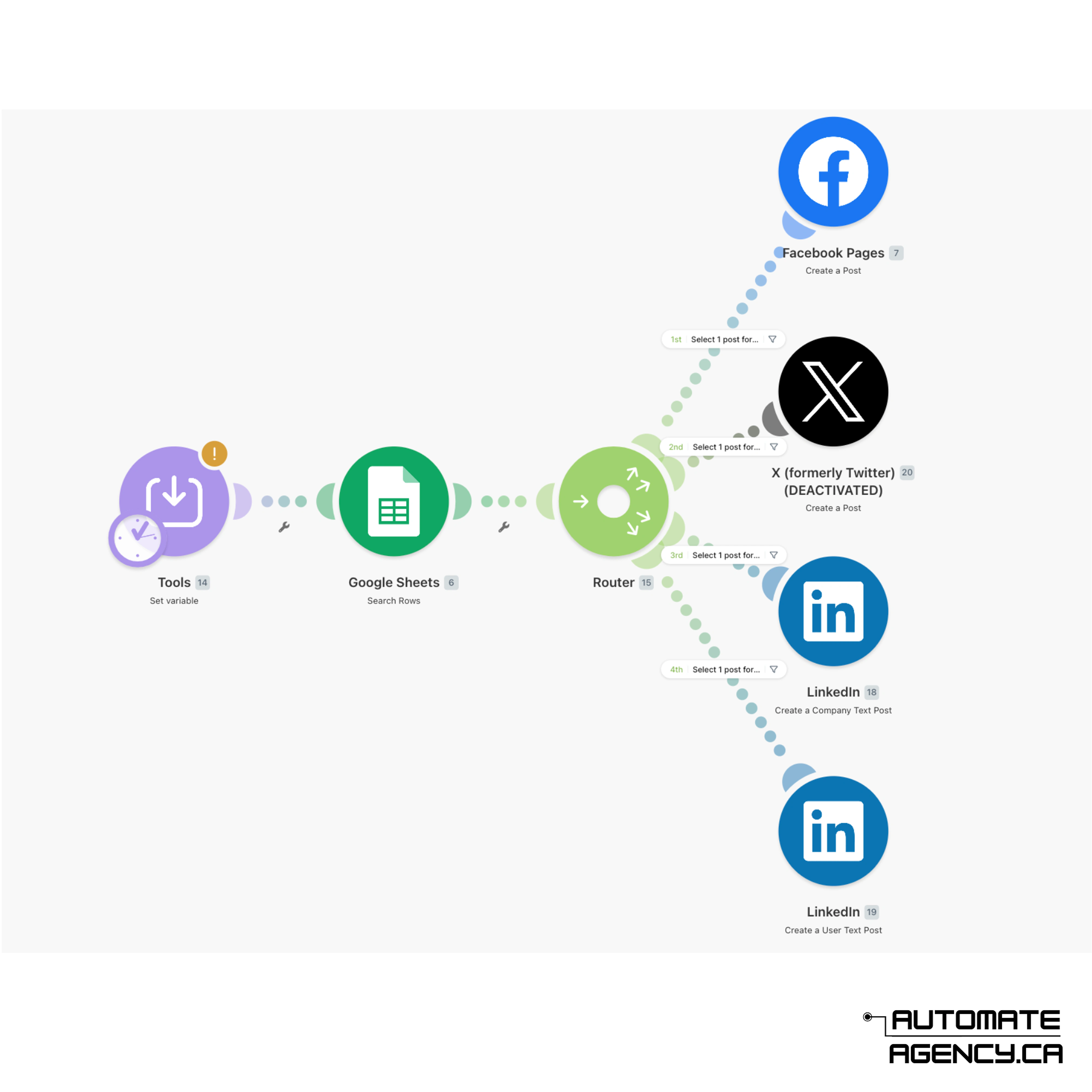
We set up posting workflows that reduce the manual drag between approval and publishing. Once content is approved, the system can prepare captions, collect assets, schedule posts, notify owners, and log what went live.
4 checks
caption, media, owner, and date before posting
Auto-log
for published posts and campaign records
Review first
so automation does not skip approvals
The constraint
Even with a content calendar, teams still copy captions, download files, resize assets, tag campaigns, and update status by hand.
The build
We create the trigger, asset checks, scheduling rules, reminders, platform handoff, and published-post log.
The change
Approved posts can move forward with fewer manual steps while the team keeps control of review and quality.
Project scope
The engagement is scoped around real operating pressure, then packaged into buildable parts your team can use.
Approved-content trigger from Airtable, Notion, Sheets, or your content calendar
Caption, media, platform, campaign, and publish-date validation
Automated reminders for missing files, overdue approvals, or upcoming publish dates
Scheduling or handoff connection to your chosen social publishing tool
Publishing log with post links, asset records, owners, and campaign tags
Manual override and exception path for posts that need extra review
Delivery path
01
We map exactly what happens after a post is approved, including file naming, captions, tags, and platform requirements.
02
Automation only moves content forward when required details are present and the approval status is clear.
03
The approved-content record triggers scheduling, reminders, handoff notes, and the published-post log.
04
We run the workflow with current content so the team can catch edge cases before relying on it.
Typical systems
Only posts marked approved move into the scheduling path.
The workflow checks caption, media, platform, date, and owner before sending or scheduling.
The system logs what was posted, when, by whom, and for which campaign.
Outcomes
Timeline
A posting workflow usually takes 1-2 weeks once the content calendar and publishing tool are chosen.
Tools used
Best fit
More examples
Revenue workflow
New leads are captured, qualified, routed, followed up, and tracked without depending on manual reminders.
Case study detailsContent workflow
One idea turns into captions, hooks, carousel outlines, short scripts, creative briefs, and review-ready drafts.
Case study detailsWriting system
Research notes, voice rules, outlines, drafts, SEO fields, and approval steps live in one writing workflow.
Case study detailsProduct system
We turn the workflow you keep forcing into spreadsheets into a focused app, dashboard, portal, or internal tool.
Case study detailsWebsite system
We build websites that explain what you do, capture demand, and connect forms, content, analytics, and follow-up.
Case study details